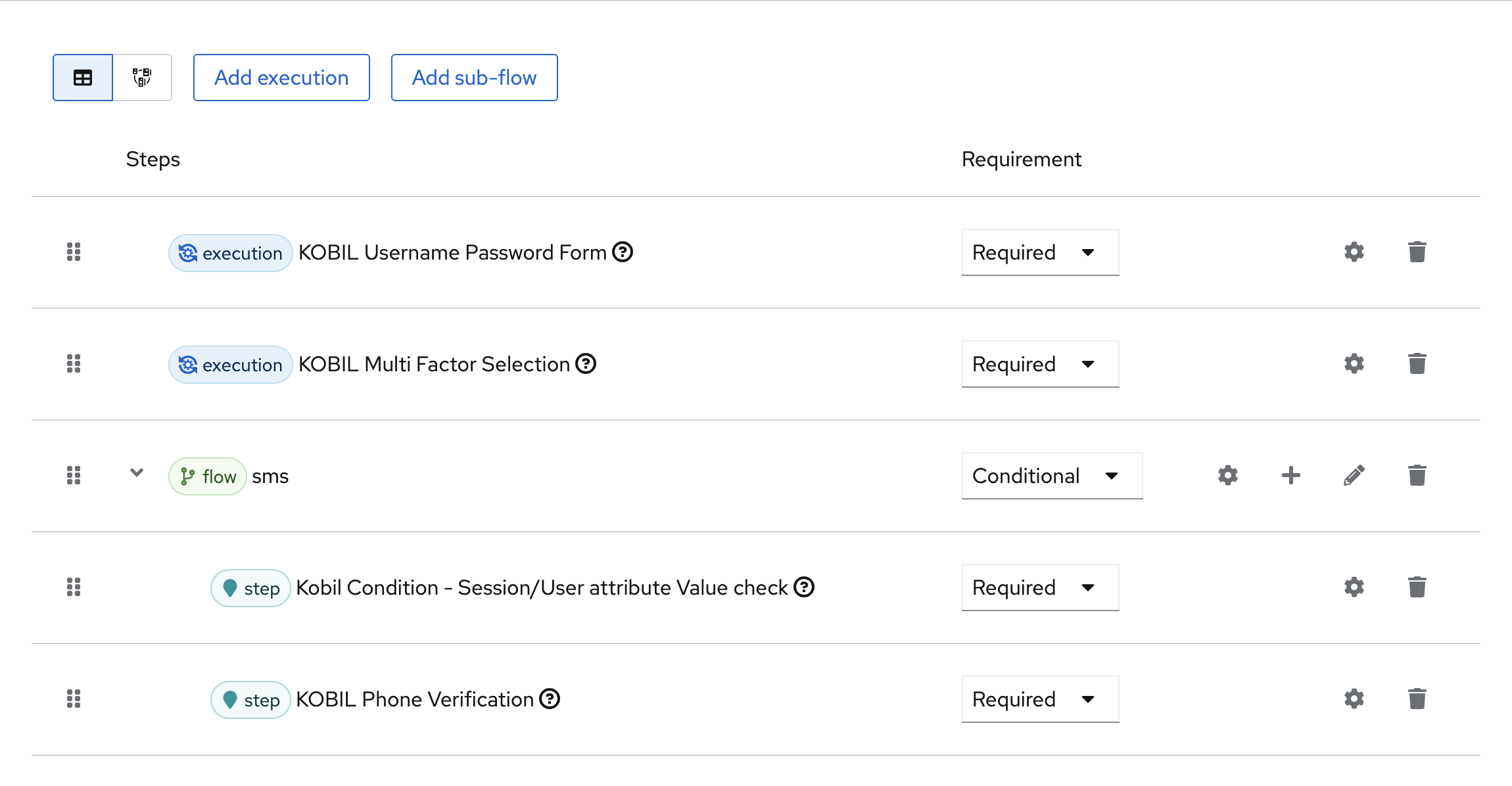
KOBIL Multi Factor Selection
KOBIL Multi Factor Selection
- The primary purpose of the KOBIL Multi Factor Selection execution is to present the user with the available multi-factor authentication (MFA) options and route the authentication flow to the selected method.
- This execution dynamically filters the available MFA methods based on the user’s profile, verification status, and enabled multi-factor channels.
This authenticator is available only on IDP Core version 5.4.0 or above.
Type
| Protocol | OpenID Connect 1.0 |
|---|---|
| HTTP method | GET |
| Type | Browser Flow |
| Endpoint | Authorization Endpoint |
| Flow Supported | Authorization code flow Implicit flow Hybrid flow |
| Response | ID Token, Access Token, Refresh Token |
| Response Mode | query, form_post, fragment |
How to configure
To access the config of the execution press the Settings button and select Config. The authenticator configuration screen will appear. Then enter your config data.
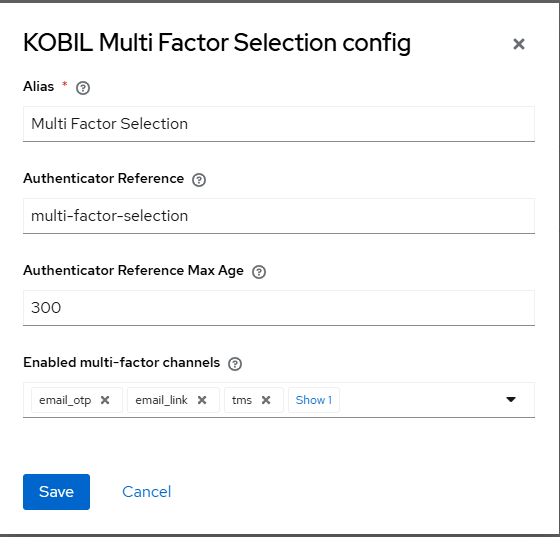
Configuration
Parameters involved in KOBIL Multi Factor Selection execution
| Parameter | Description |
|---|---|
| Alias | Provide an alias name for the configuration to be set. (Example: Login Verify Email) |
| Authenticator Reference | Custom reference name for the authenticator. The AMR protocol mapper will use this value to populate the amr claim of the generated tokens. (Example: custom-name) |
| Authenticator Reference Max Age | The max age in seconds that the authenticator reference value is valid for in an SSO session. (Example: 300) |
| Enabled multi-factor channels | Defines which multi-factor options can be used for authentication. Only applicable options are shown to the user, and selection is skipped when only one option is available. |
Available multi-factor channels
- SMS OTP
- EMAIL OTP
- EMAIL VERIFICATION LINK
- TMS
- TOTP
User Flow
Execution Flow
This execution contains the following main steps:
-
KOBIL Multi Factor Selection must be preceded by a first-factor authenticator, as it depends on the user context established by the preceding authentication step. For instance: KOBIL Username Password Form for user identification.
-
After successful user identification, the available MFA methods are dynamically filtered based on the user’s profile, verification status, and enabled multi-factor channels.
-
The execution proceeds according to the following scenarios:
- If no eligible MFA method is available, the authentication flow is terminated and an error page is displayed.
- If only one eligible MFA method is available, the selection screen is skipped and the flow automatically proceeds with the available MFA authenticator.
- If multiple eligible MFA methods are available, all applicable MFA options are displayed for user selection.
-
Once the user selects a verification method, the selected MFA channel (email_otp, sms_otp, email_link, tms, totp) is stored in the authentication session for the key
AUTH_NOTE_MULTI_FACTOR_TYPEby the authenticator. To streamline the authentication flow, conditional authenticators should be configured after this execution to route the flow dynamically based on the selected verification method.
| MFA Method | Session Value |
|---|---|
| SMS OTP | sms_otp |
| Email OTP | email_otp |
| Email Verification Link | email_link |
| TMS | tms |
| TOTP | totp |
Authentication flow sample