KOBIL AST Unlink All Devices
Overview
The primary function of this authenticator is to unlink all AST devices associated with a user during the authentication flow. It can optionally enforce a single-device policy, ensuring that a user is restricted to only one active linked device at a time.
Usage
This authenticator can be positioned at different stages of the authentication flow based on the desired behavior:
-
At the beginning of the flow:
Unlinks all previously linked devices before the authentication process starts, ensuring a clean state. -
At the end of the flow:
Unlinks all previously linked devices except the latest device(s) added during the current flow, effectively retaining only newly registered devices.
This authenticator is available only on IDP Core version 5.3.0 or above.
Type
| Protocol | OpenID Connect 1.0 |
|---|---|
| HTTP method | GET |
| Type | Browser Flow |
| Endpoint | Authorization Endpoint |
| Flow Supported | Authorization code flow Implicit flow Hybrid flow |
| Response | ID Token, Access Token, Refresh Token |
| Response Mode | query, form_post, fragment |
How to configure
To configure the authenticator, follow these steps:
- Navigate to Authentication tab
- Click
Add step - Select the authenticator to proceed with the next step
- Keep the default
Settingsunchanged.
By following these steps, you will be able to successfully configure the authenticator.

Configuration
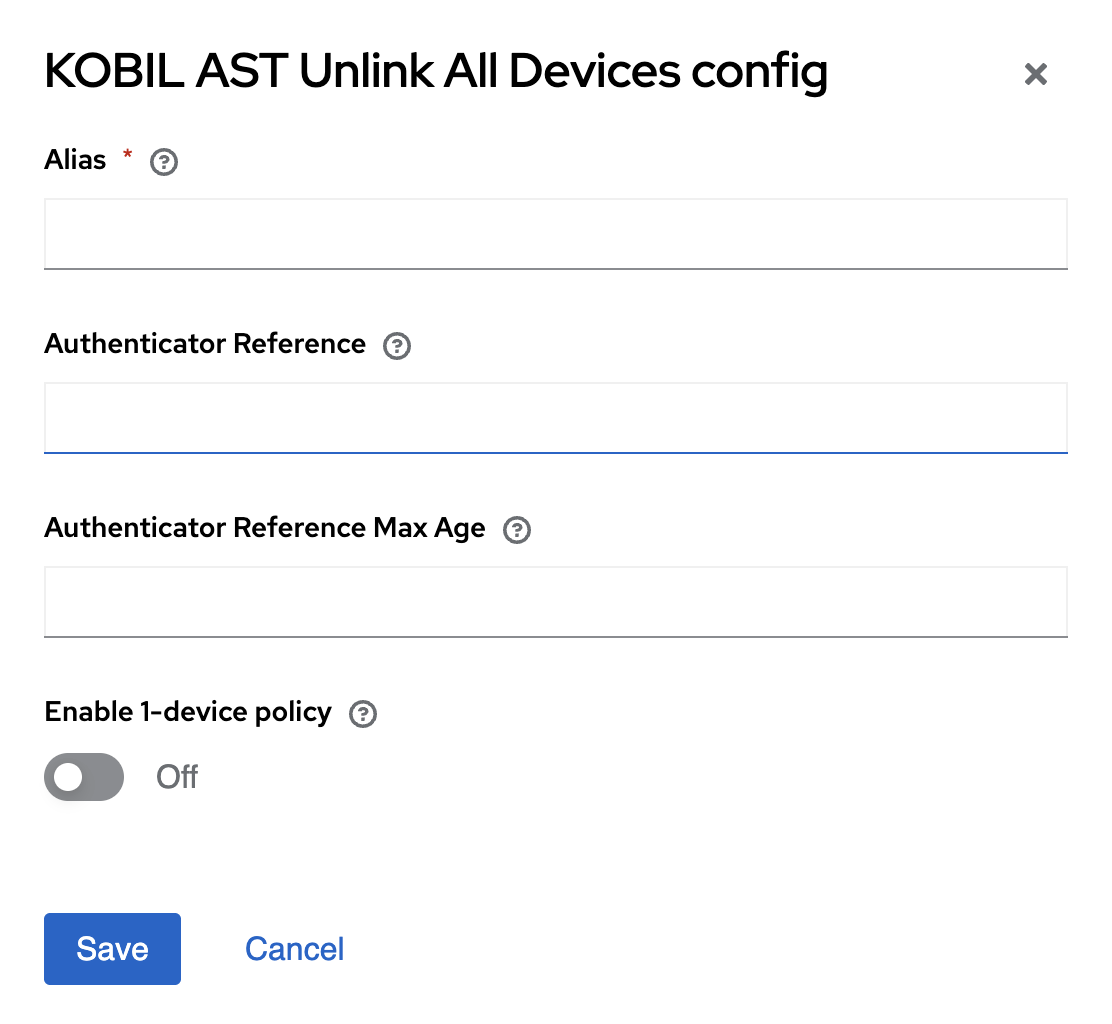
Parameters involved in KOBIL AST Unlink All Devices execution
| Parameter | Description |
|---|---|
| Alias | Name for the overall configured configurations which occurs in particular authenticator. (Example: KOBIL AST Unlink All Devices ) |
| Authenticator Reference | Specifies the authentication method used, such as password (pwd), one-time password (OTP). This reference is used to track authentication steps in the authentication flow. |
| Authenticator Reference Max Age | Specifies the validity period (in seconds) for a completed authentication. Once this time expires, the user must re-authenticate using the specified method. |
| Enable 1-device policy | When enabled, ensures that the user can have only one linked AST device. Existing devices will be unlinked before allowing a new device association. |
User Flow
This execution contains the following main steps:
- KOBIL AST Unlink All Devices works as a standalone step to configure a user and is used in the login flow.